Servers
If you host your servers on Inevidesk’s virtual server platform and have Company Server admin privileges, clicking on the ‘Servers’ menu item will show the list of servers to which you have been granted access:

Clicking on the server icon will open up a window providing server information and remote power control:
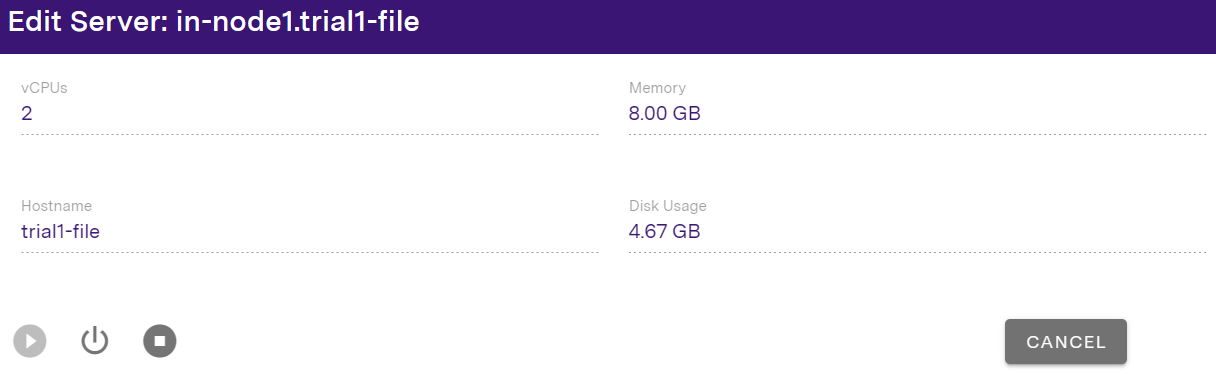
This button is colour coded according to the current state it is in (on / off / booting or shutting down).
All virtual servers are set to high availability. If you want to shut down a server, this must be done using the power controls in the portal instead of within the OS.
If you wish to access the server via the admin portal then click on the icon in the server list. This will open up a VNC connection to the server.
Snapshots
Snapshots will be listed here and will show you how much storage is being taken up.

Click the Snapshots icon to create a new snapshot or view how much storage is being taken up by any existing snapshots.

This will open up the Create Snapshot menu, allowing to you specify a name; description, and whether you want the take snapshot with RAM (memory snapshots) or without (disk-only snapshots),

Once ready, click Create Snapshot and proceed through the dialog. When the task completes, you will see snapshot you've taken listed within the Snapshots menu as below:

You can the use the following icons to rollback the snapshot or delete it once no longer needed:
-
to rollback a snapshot
-
to delete a snapshot