Troubleshooting
Force push config
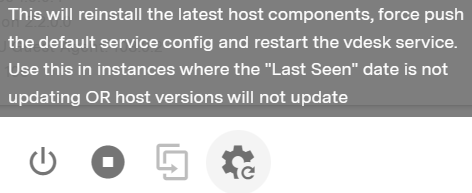
If your vdesk is not showing a ‘Last Seen’ time within the last minute and you can’t reboot it using the portal, you can troubleshoot by reinstalling the latest host components and force pushing the default service config.
To do this click the icon in the vdesk control panel:
Maintenance mode
If you are unable to access a vdesk via the Inevidesk client application or other RDP application (eg: if the vdesk is stuck on Windows updates or frozen for some other reason), it may be possible to access it using VNC via the admin portal.
To access maintenance mode, shut down the vdesk if not powered off already then open up its Config/Control panel.
Toggle the Enable Maintenance Mode slider within Config/Control then click ‘Save’.

You will then see a console icon appear against that vdesk in the pod list.
Clicking on the console icon on the right will open up a VNC connection to the vdesk for maintenance.